
How to choose a photo for a personalised pet gift
Photo keepsakes only look as good as the picture you start with. You upload on Etsy—not on this website. Use this checklist to pick an original file before you open a listing.
Light and clarity
- Choose daylight or soft indoor light; avoid deep shadows across the face.
- Pick a shot that is in focus, especially around the eyes.
Framing
- Shoot at your pet’s eye level when you can.
- Leave a little space around the face and ears so the design is not cropped awkwardly.
- Skip heavy filters or stickers; use a natural photo where possible.
File quality
- Upload the original photo file from your camera or phone, not a screenshot of a screenshot.
- Avoid a tiny social-media preview if you still have the full-size image elsewhere.
One pet, right listing
- Use one clear pet in the photo unless the Etsy listing explicitly allows multiple pets or a collage.
- Match the species and style to the product you chose (mug, cushion, bauble, etc.).
- Read that listing’s personalisation fields for names, hat styles, and optional text.
Unsure?
- Open the listing on Etsy and message the shop if you are not sure a photo will work—they can advise before you pay.
Example listings
These are real mugs, cushions and baubles from the shop—upload on Etsy, not here.
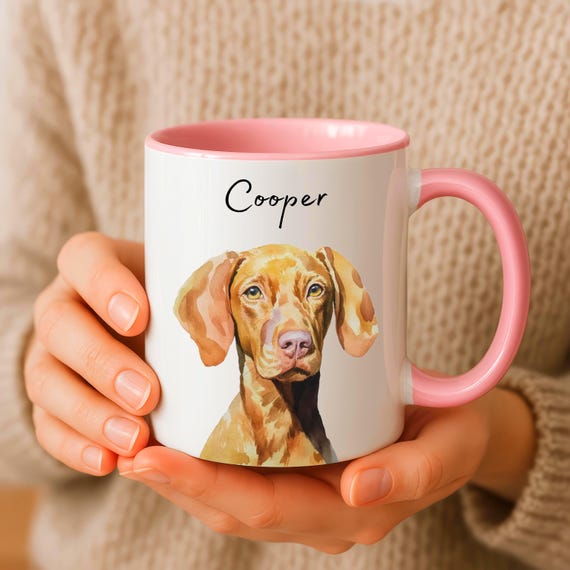
Pet portrait mugs
Personalized Watercolor Pet Portrait Mug: Custom Dog or Cat Photo
Personalise on Etsy — photos, text, and options on the listing.
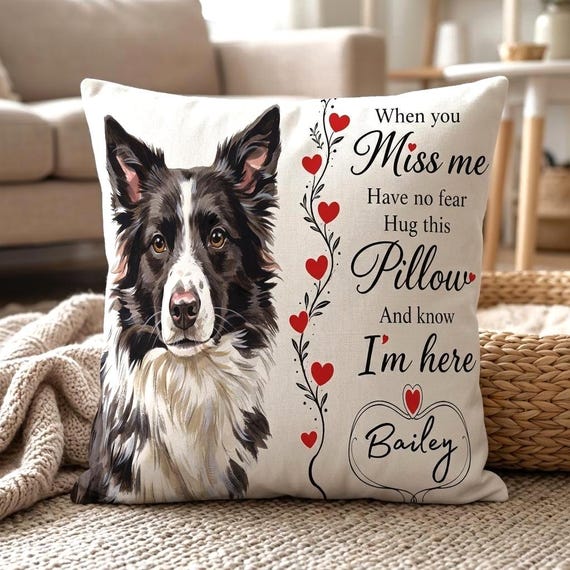
Cushions & pillows
Personalised Pet Loss Gift Cushion with Custom Portrait & Name
Personalise on Etsy — photos, text, and options on the listing.
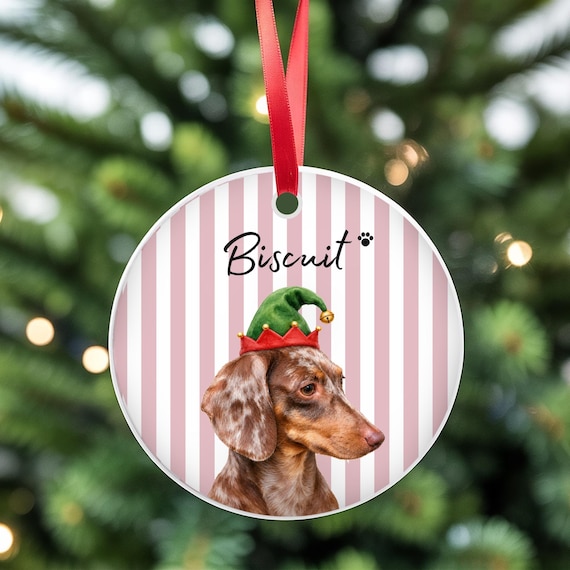
Ornaments & baubles
Dachshund Christmas Bauble from Photo and Name
Personalise on Etsy — photos, text, and options on the listing.
See each Etsy listing and the BonjourBabyEmporium shop policies on Etsy for current delivery estimates, processing times, cancellation, and returns information.